
Writing rules
A policy is an ordered list of rules, each saying: when this kind of data (data types) moves into these places (destinations) via these channels (paste, submit, upload), then do this (action) — and the first matching rule wins.
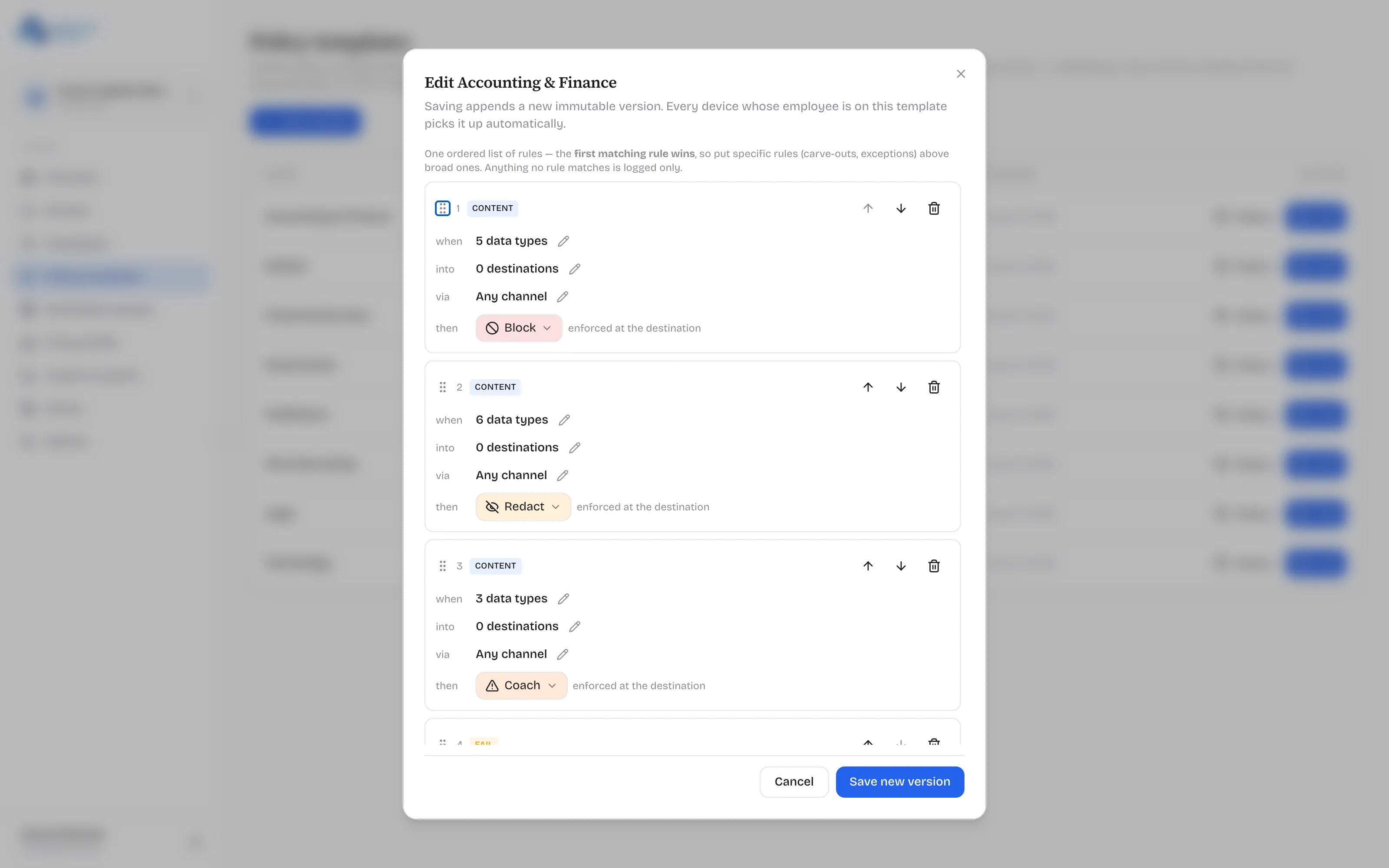
The four parts of a rule
Section titled “The four parts of a rule”- when — the data types, grouped in the editor: Government/National ID, Financial, Secrets & Credentials, Contact, Identity, Health, and more. “Any” is available for catch-alls.
- into — the destination groups, e.g. AI chat + Cloud storage. The special everywhere scope means the whole device — rules scoped there enforce at copy time, device-wide.
- via — the channels: paste, submit, upload (or any).
- then — the action: Block, Redact, Coach, Log only, or Allow.
Ordering is the sharp tool
Section titled “Ordering is the sharp tool”Because the first match wins, put specific rules (carve-outs, exceptions) above broad ones. An Allow rule for your approved client portal sits above the strict rule for cloud uploads, or it never fires. Anything no rule matches is logged only.
One deliberate constraint you’ll hit: Coach is unavailable on copy-time (everywhere-scoped) rules — a warn-with-override needs a destination to warn about, and at copy time there isn’t one yet.
Recommended rollout posture
Section titled “Recommended rollout posture”- Start everyone on a log-only or coach-heavy template for a week or two. The Events page shows you what would have been blocked.
- Review events; add carve-outs for the legitimate flows you find.
- Move the sensitive data types to Redact/Block for AI and personal-cloud destinations; keep Coach where you want judgment rather than walls.