
The proxy profile
The agent package ships inert — installing it intercepts nothing. The
Proxy profile page builds the one .mobileconfig that turns
interception on for a device group. Removing the profile reverses it.
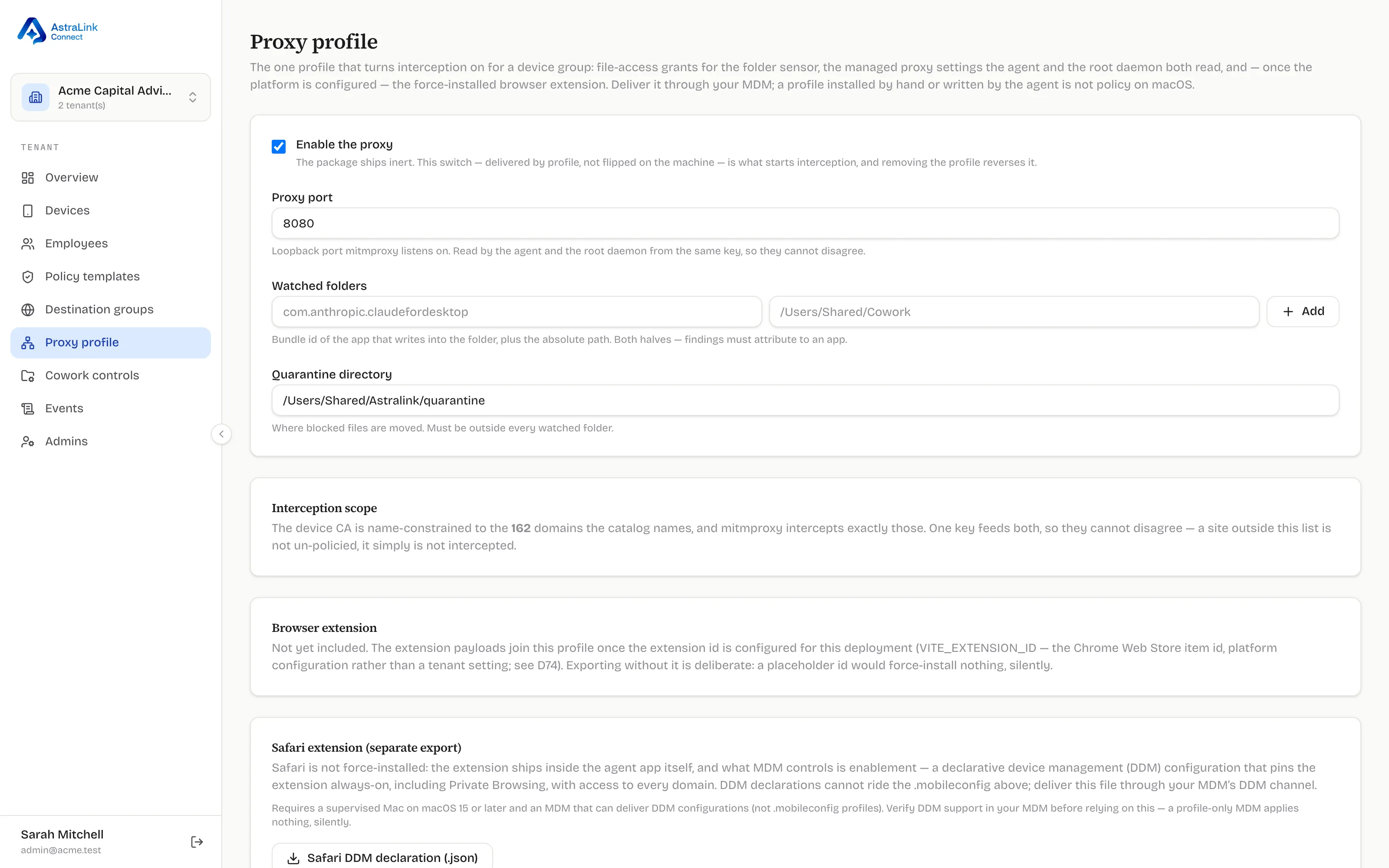
What the profile carries
Section titled “What the profile carries”- The enable switch. Delivered by profile, not flipped on the machine — this is what starts interception, and it is deliberately not something the agent (or the employee) can grant itself. On macOS, a profile installed by hand or written by software is not treated as management policy; only an MDM-delivered profile is.
- The proxy port the local interception process listens on (loopback only — traffic never leaves the device for inspection).
- Watched folders for the file sensor: the app that writes into the folder plus the absolute path, so findings attribute to an application.
- The quarantine directory where blocked files are moved (always outside every watched folder).
- The browser extension force-install for Chromium browsers, once the extension is configured for your deployment. If your deployment isn’t configured for it yet, the page says so and exports without it — a placeholder would force-install nothing, silently.
Safari is separate
Section titled “Safari is separate”Safari’s extension ships inside the agent app itself; what MDM controls is
enablement. That uses a DDM declaration (exported from the same page)
which cannot ride the .mobileconfig — deliver it through your MDM’s DDM
channel. Requires a supervised Mac on macOS 15+ and an MDM that actually
supports DDM; a profile-only MDM applies nothing, silently.
Deploying it
Section titled “Deploying it”Assign the profile to your device group at device scope.
What happens next
Section titled “What happens next”Once the profile lands and the device’s interception certificate is trusted
(see CA trust tiers), the device’s Proxy
column on the Devices page reports On. Interception never starts on a
device whose certificate is not actually trusted — there is no silently
green state.